Managed technology · Long Island, New York

Fitted to your business. Not the other way around.

Most phone companies ship a box and a portal login. We learn how your calls actually move at each location, then build the routes, the hours and the AI receptionist around it. By the time the phones are plugged in, all of it has been reviewed and tested. Network, IT, website and cameras run under the same agreement.

Hear our AI receptionist: (631) 237-9590

Site view Illustrative
Carrier + ISP SIP · 1G FIBER AI receptionist IN THE CALL FLOW Website HOSTED · SSL FW-01 FIREWALL · QOS SW-01 POE SWITCH · 24 PORTS AP-01 WI-FI · STAFF AP-02 WI-FI · GUEST EXT 101 EXT 102 EXT 103 EXT 104 EXT 105 WS-01 WS-02 CAM-01 CAM-02 NVR PROTECT · LOCAL
Call flow
Approved
Hours + holidays
Set
AI receptionist
Tested
Seats test-called
14 / 14
Desk keys
Labeled
Voice priority
On
Call quality
MOS 4.41
Cameras recording
6 / 6

The difference

Fitted, not shipped.

Most providers sell the same box to everyone and leave the fitting to you. We do the fitting.

How the online signup compares with SLINC
The online signup SLINC
Phones arrive in a box, registered to an account. Phones built for each person: extension, name, keys and labels matched to your call flow.
You build the IVR and ring groups in a portal. We design the call flow with you and build it.
You learn their system. The system follows your routes, your hours and your people, location by location.
Calls break up? Call your internet provider. We run the network the calls ride on.
AI is an add-on you set up from their website. AI scripted in your name, built into the call flow, tested before it answers.
Compare providers by name

Reviewed before it rings

Before the phones are plugged in, we have already…

  • Walked every route: who rings, in what order, what happens when nobody answers.
  • Set the hours, holidays and after-hours for each location.
  • Written the AI receptionist’s script in your business name and tested its transfers.
  • Laid out and labeled the busy-lamp, park and speed keys on every desk.
  • Ported your numbers and test-called every seat.
  • Checked the network for voice: priority for calls, PoE, Wi-Fi coverage.

They count ‘live in minutes’ from the moment a phone registers. We count from the moment your calls go where they should.

No portal homework

You shouldn’t have to learn a phone system to run one.

“Plenty of technical people don’t want to build their own IVR in a portal. Your front desk shouldn’t have to.”

So we don’t ask you to. Tell us what changed, by a call or an email in plain English, and we make it and confirm it back.

What a change request looks like

  • Change extension 104 to Maria.
  • Close at 2 on Christmas Eve.
  • Send after-hours tow calls to the new driver.
  • Add the new hire to the front-desk keys.

By a call or an email. We make it and confirm it back.

How we fit it.

Five steps from the first walk-through to the monthly agreement. You approve the design before anything is ordered.

  1. 01

    Walk-through

    We walk each location and learn how calls and work actually move: who answers what, the hours and holidays, what counts as urgent, and what happens when nobody can pick up.

  2. 02

    Design

    A written call-flow map, the hours and holiday schedule, the key layout for every desk, the AI receptionist’s script in your name, and the network the calls ride on.

  3. 03

    Build

    Phones configured and labeled for each person, the AI receptionist built into the call flow and tested on a test line, the network prepared for voice.

  4. 04

    Cutover

    After you close.

  5. 05

    Run

    One monthly agreement.

How we fit it

AI receptionist

Always on the newest AI. Built into your calls, not bolted on.

  • 01

    Built in-house, kept current

    On the newest realtime speech-to-speech voice models. As better ones ship, we move your line forward.

  • 02

    Your name, your script

    It answers as your business, from a script we write with you.

  • 03

    Looks things up live

    During the call: today’s menu, a caller’s account.

  • 04

    Warm transfers

    It calls the right person, tells them who is waiting and why, and connects only when they say yes or press 1.

  • 05

    A safety net

    If the AI leg fails, the call falls back to a person or voicemail.

  • 06

    The message, right away

    Who called, their number and what they need, texted and emailed as the call ends.

  • 07

    Every call on the record

    Recorded in both directions and transcribed, with a private signed link to the recording.

  • 08

    Updated by a phone call

    New hours or specials? Call them in. No configuration screen.

Hear our AI receptionist

(631) 237-9590

It answers in our name, takes a message and can transfer you, just as it would for your business.

From a service call

The phones told us it was the switch.

  1. 01 — Reported

    Calls breaking up.

    Choppy audio across the office, on and off. Each of the client’s other providers checked its own side and said it was fine.

    Ext 104 → outside lineAudio breaking up
  2. 02 — What we read

    The phones kept the evidence.

    Every desk phone keeps its own call diagnostics. Read together, they pointed away from the phone service and toward the PoE switch in the equipment closet.

    Call-quality stats · from the phonesPointing at SW-01

    Affected

    Every phone behind SW-01

    Carrier side

    Clean

  3. 03 — What we found

    The switch nobody suspected.

    The PoE switch was producing collisions in its managed configuration. Not the phone service, not the computers: the piece in between that nobody owned.

    SW-01 · PoE · managed modeCollisions
    SW-01
    112

    ! collisions on the ports the phones use

  4. 04 — What we fitted

    Corrected. The calls cleared.

    We corrected the switch configuration and the calls cleared. The phones and the network they ride on are now run by one firm, so the next problem never bounces between vendors.

    How we run the network
    Switch corrected · the whole pathCalls clear

Recent work

Every business answers its own way. We build it that way.

Industries we fit

Network

Choppy calls, and a switch nobody suspected.

Situation
A client’s calls kept breaking up. Each of their other providers said its side was fine.
What we found
The phones’ own call diagnostics pointed to the PoE switch in the equipment closet, which was producing collisions in its managed configuration.
What we fitted
We corrected the switch configuration and the calls cleared. The phones and the network they ride on are now run by one firm.
Read more

Service call

Auto body

After-hours tow requests, connected.

Situation
An auto body shop’s after-hours calls went to voicemail, including tow requests that could not wait until morning.
What we found
The urgent after-hours call was always the same: a tow. Everything else could wait for a message.
What we fitted
Its AI receptionist answers in the shop’s name after hours, warm-transfers tow requests to the tow company, and texts the owner a summary with the recording a tap away.
Read more

Answering after hours today · an auto body shop on Long Island

Restaurant

An AI desk that reads the live menu.

Situation
During service, nobody at the stand can stop to read the menu or the hours over the phone.
What we found
Most of those calls ask the same questions: what’s on the menu, are you open, can I talk to a manager.
What we fitted
We built an AI desk for a restaurant: it answers in the restaurant’s name from the live menu and hours, takes messages, and connects the calls a manager needs to take.
Read more

An AI desk we built for a restaurant

Websites

Found by ChatGPT.

Situation
An insurance agency needed its website to bring in new business.
What we found
More people now ask ChatGPT and the other AI assistants who to call, and those assistants recommend the sites they can read.
What we fitted
We rebuilt the agency’s site so AI assistants can read it. It now brings in leads who found the agency by asking ChatGPT.
Read more

An insurance agency

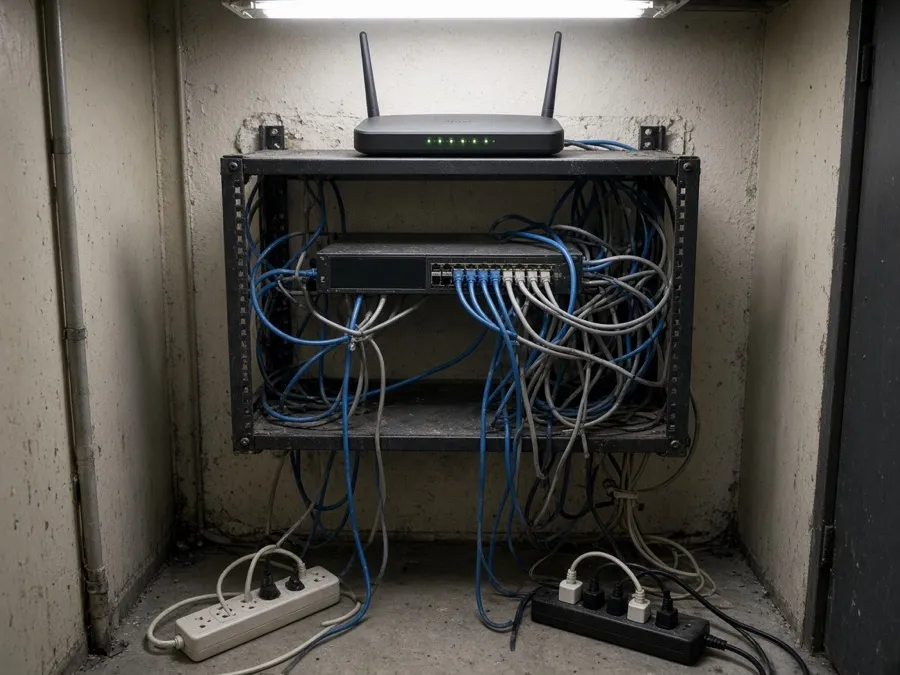
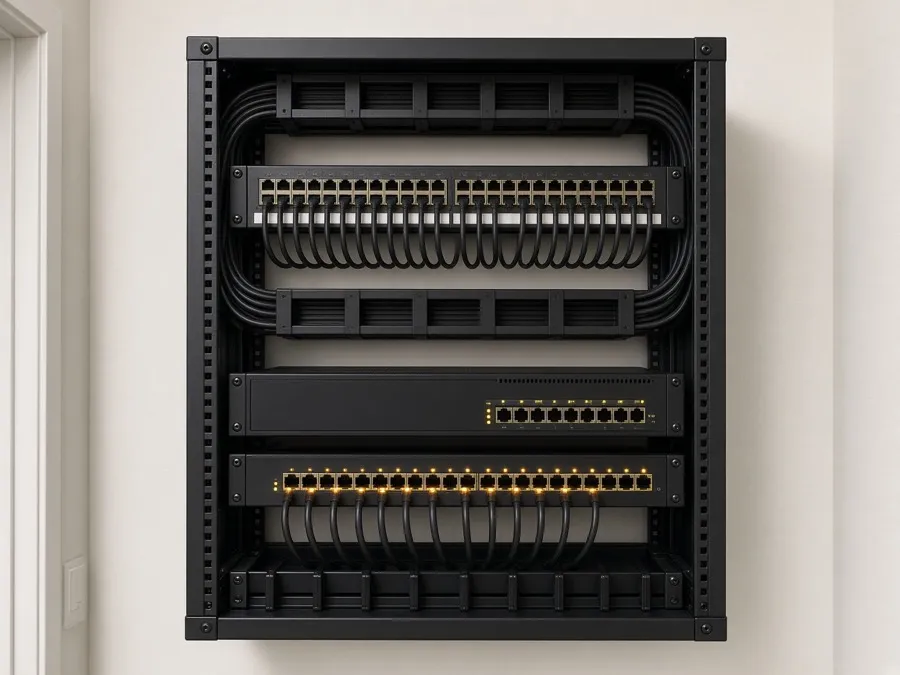
Equipment room clean-ups

Designed first. Built to our written standard and checked before handover.

Short patch cables, a labeled panel, business-grade gear in a rack, and a written map of which jack goes where. The photographs are illustrative of that standard.

See the Closet Reset
The same closet after a clean-up: short patch cables in neat rows, a labeled patch panel, firewall and PoE switch mounted in the rack.
An office network closet before: tangled cables, a consumer router on top of the rack, power strips on the floor.
Before After

Cutover

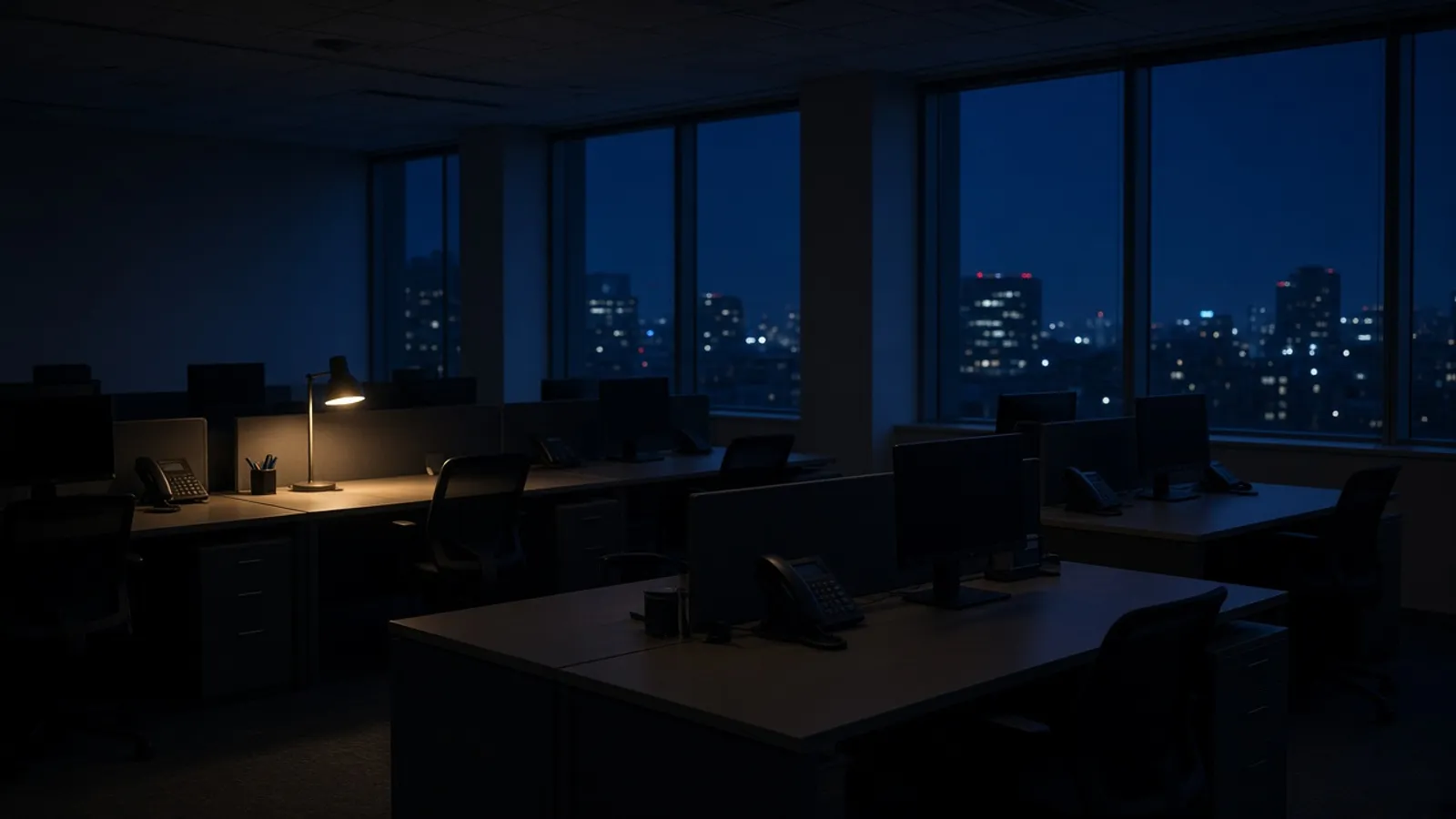
The switch happens after you close.

18:30

You lock up on the old system and open on the new one.

  1. 18:30

    Doors close

    We arrive with phones already built and labeled for each desk.

  2. 19:15

    Numbers move

    Ports complete and routes go live.

  3. 20:30

    Every seat test-called

    Every route, every after-hours path, every transfer.

  4. 07:30

    You open

    Phones that already work the way you do, and a check-in to confirm.

An example cutover. Every schedule is set with you.

Start with a walk-through

Let’s walk your office.

We map how your calls actually flow, plus the network, computers and accounts, and hand you a written design of what we would build and run. Then you decide.